
스톡옵션 행사확인서 발급 가이드 - 누적 행사이익 계산 한 번에 하기
임직원 스톡옵션 행사 내역 정리부터 비과세·양도세 신고에 필요한 정보가 담긴 문서 발급까지, ZUZU 행사확인서 기능으로 클릭 한 번에 해결하는 방법을 소개합니다.

Npay, ZUZU가 함께 운영하는 Npay 스타트업에서 투자자를 만나보세요
작성일: 2022년 12월 19일
·
최근 수정일: 2026년 4월 17일
AI 요약
참고
Exercising a stock option involves submitting an option exercise form, paying the exercise price (as defined in the option agreement), and receiving the corresponding
shares of a company’s stock. Essentially, it means you’re buying shares at a predetermined amount during the option’s vesting period.
| Step 1 | Fill out and submit the stock option exercise form. |
|---|---|
| Step 2 | Obtain the payment date and account number from your employer, and ensure the payment is made correctly and on time. |
| Step 3 | Request a Confirmation of Unissued Shares (주권미발행확인서) from your employer. |
| Step 4 | Pay the option exercise tax. |
To exercise a stock option, you need to complete and submit the designated stock option exercise form to the company. This form typically requires details such as the type and quantity of shares you intend to exercise, your current address, and your official stamp or signature..
Can I exercise stock options on ZUZU?
Yes! If you’ve received an invitation from your company to ZUZU, you can.
1-1. Log in to ZUZU using the credentials you provided when you accepted your company’s invitation.
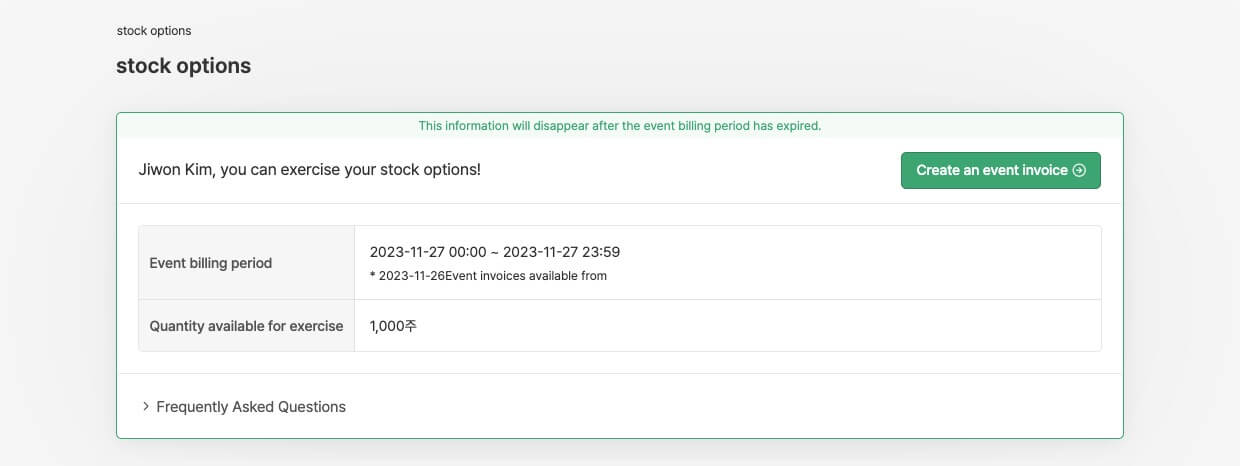
1-2. Click the ‘Stock options’ menu → ‘Create an event invoice’ button on the screen (top-right).
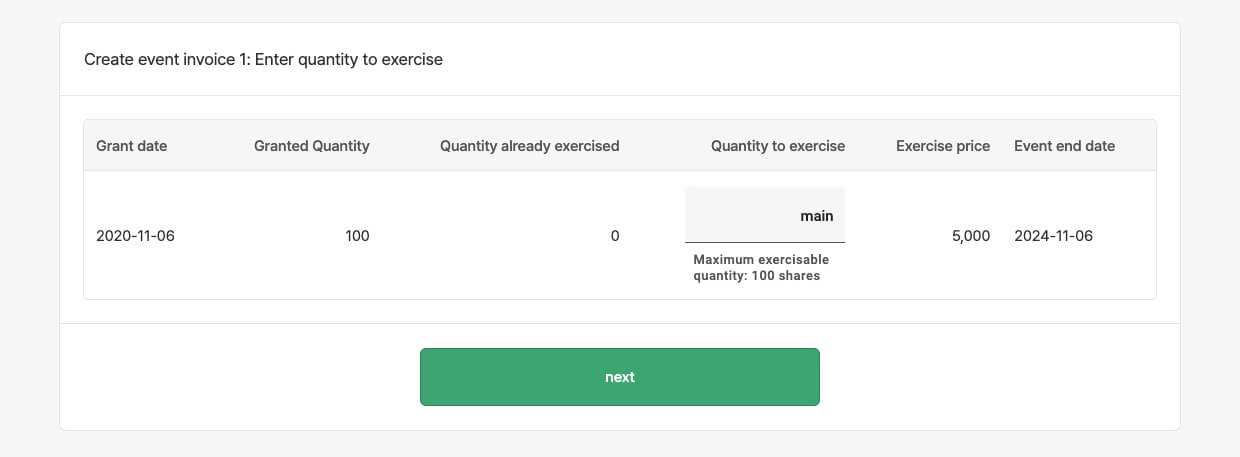
1-3. Enter the number of shares you wish to exercise. Refer to the “maximum exercisable quantitiy” (below the input field) to ensure you don’t exceed the limit.
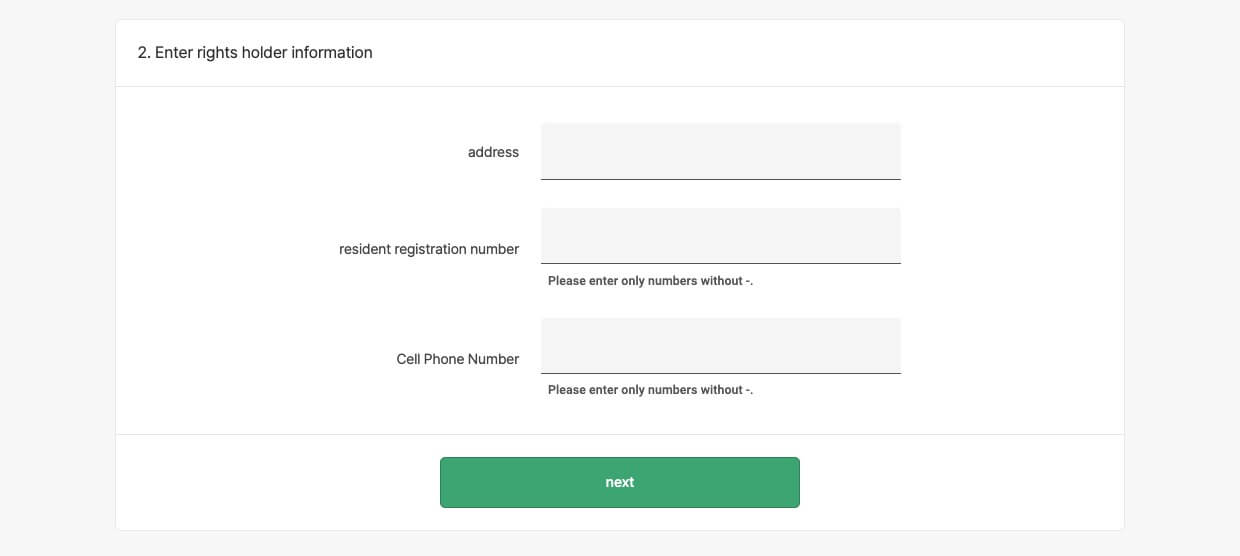
1-4. Lastly, enter your address, resident registration number, and cell phone number; these details will be used to fill out your stock option exercise form. Please double-check for accuracy, as changes won’t be possible after this step.
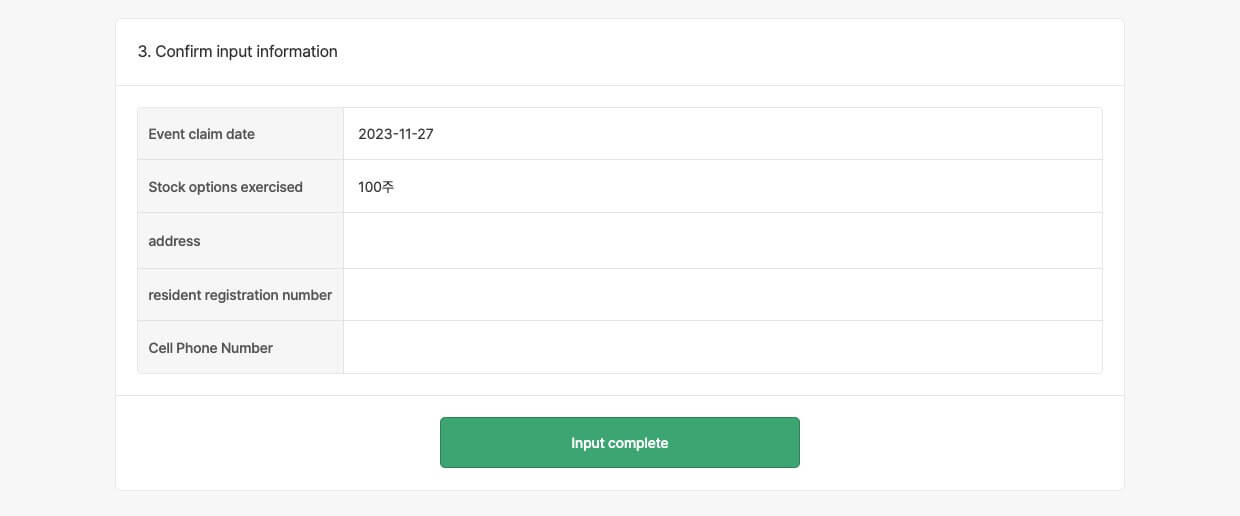
1-5. Your stock option exercise form is ready. From there, you can also download the completed form as a PDF.
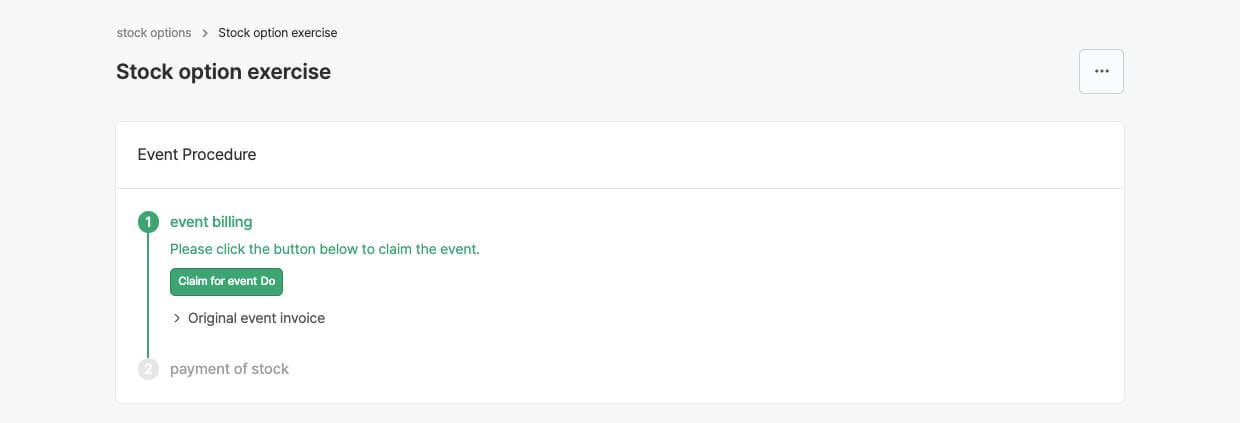
1-6. To review the details of your option exercise request, go to the ‘Stock options’ menu and click the ‘Learn more’ button on the screen (top-right).
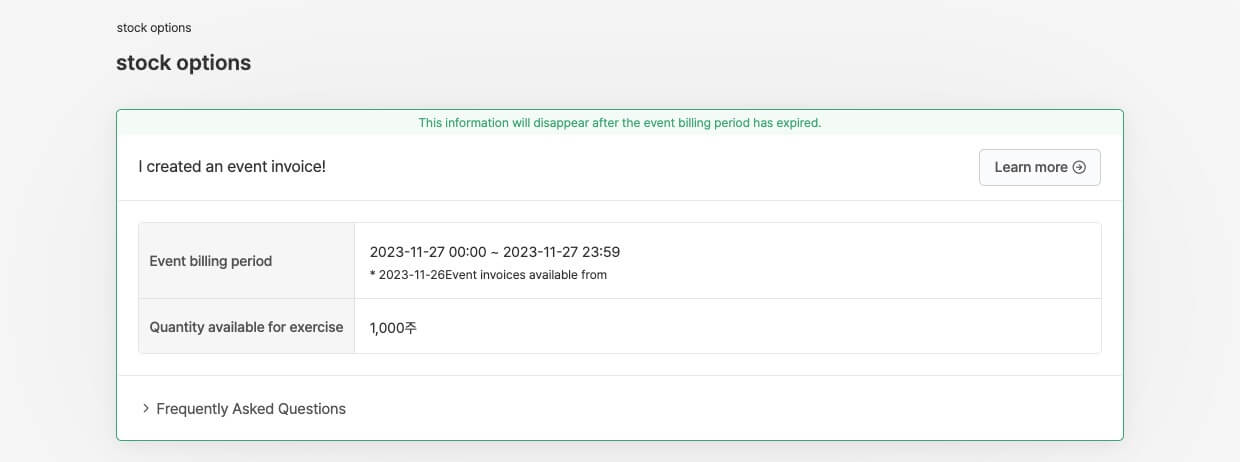
After submitting your request to exercise your stock options, ask your employer for a payment date and an account number into which you will deposit the stock purchase price. On ZUZU, you just need to wait for an email from your manager with all the required details.
What does ‘purchase price’ refer to?
It’s the amount you get when you multiply the number of stock options you’ve exercised by their exercise price per share.
Once you have completed your payment, it is important to inform your company via portal. Upon confirmation of your payment, you will immediately become a shareholder as stipulated in Articles 340(5) and 516(10) of the Commercial Act, effective from the time of your contribution.
1. Please access the shareholder portal and click on ‘Learn more’ in the event request notification window.
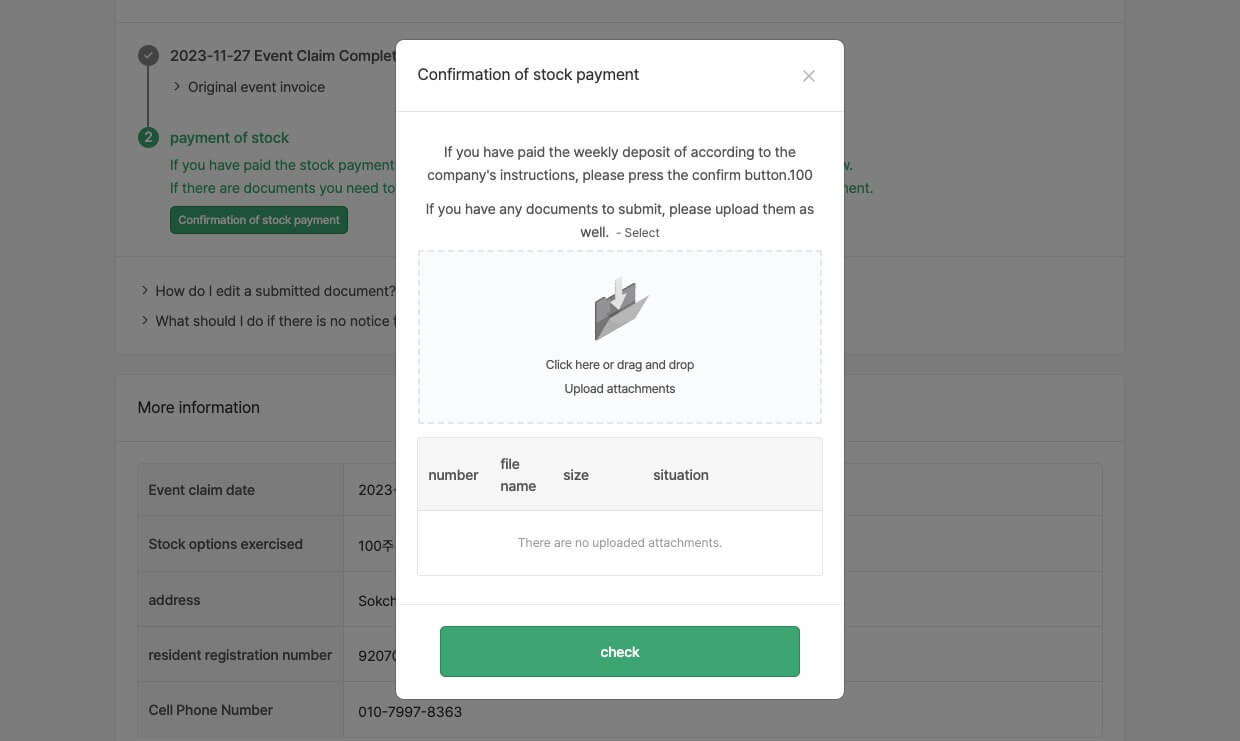
2. Click on ‘Confirmation of stock payment’. If there are any documents you need to submit, please upload them and then click the ‘Check’ button.
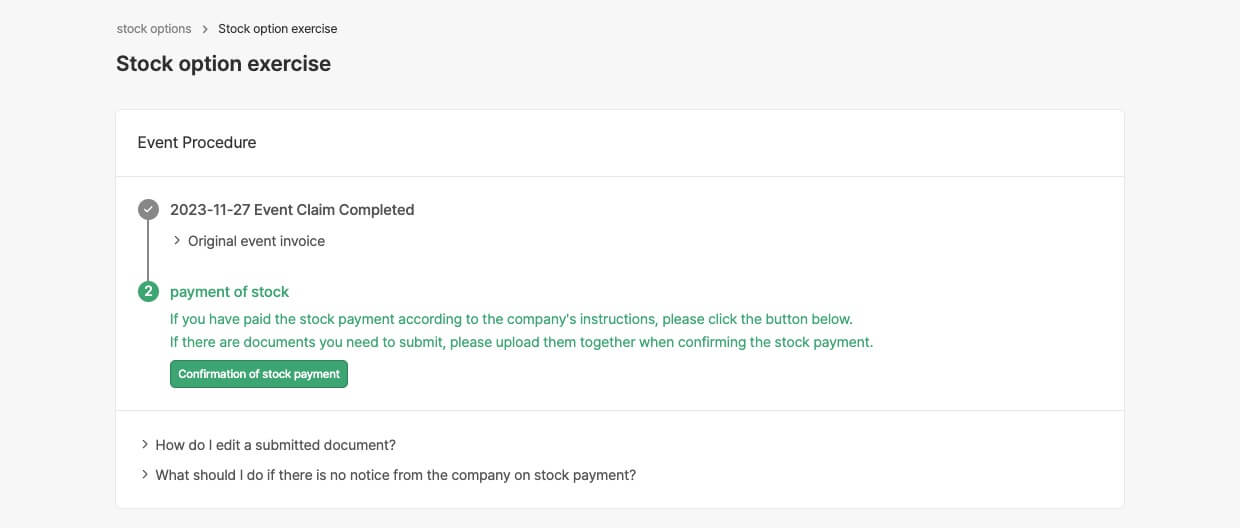
3. Once the company administrator verifies the capital contribution, they will complete the processing of the event and notify you via alert talk and email.
Following the registration of your stock options exercise (new share issuance), you are entitled to request a Confirmation of Unissued Shares (주권미발행확인서) that will confirm your status as a shareholder.
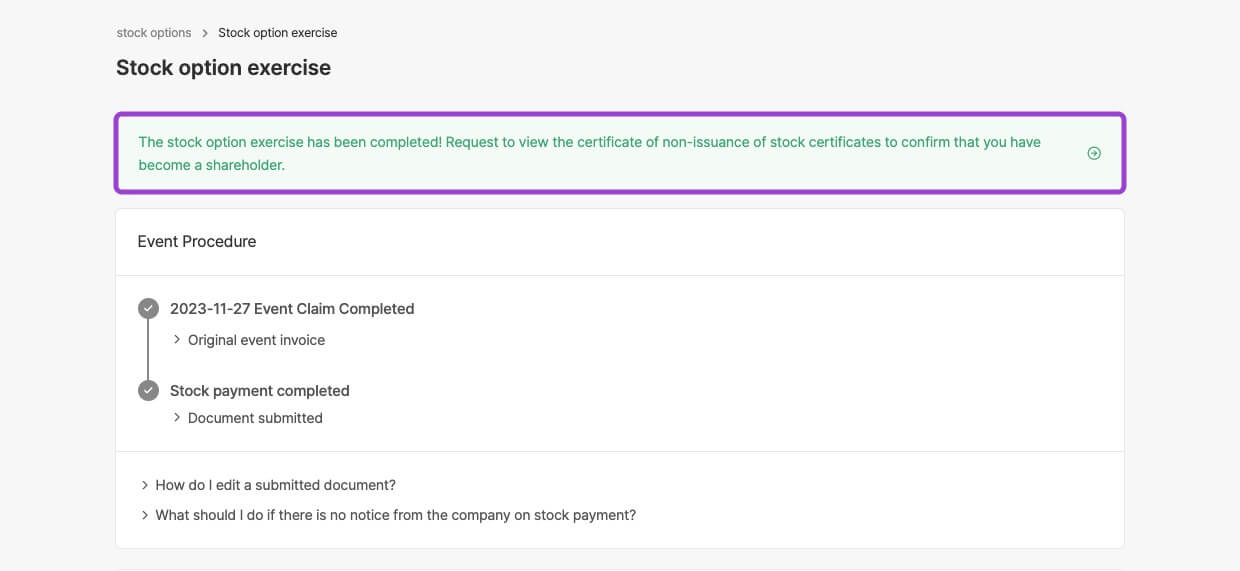
After you exercise your stock options, you’ll incur taxes on exercise gains.
임직원 스톡옵션 행사 내역 정리부터 비과세·양도세 신고에 필요한 정보가 담긴 문서 발급까지, ZUZU 행사확인서 기능으로 클릭 한 번에 해결하는 방법을 소개합니다.

비과세 스톡옵션 행사이익은 건강보험료 산정에 포함되는지 제외되는지에 대한 판례가 확정됐어요. 판례 해석과 건보료 환급에 대해 살펴볼게요!
스톡옵션을 행사할 직원에게 행사 청구, 주금 납입 안내부터 행사 이후 주주명부 반영까지 ZUZU에서 간단하게 할 수 있어요!